


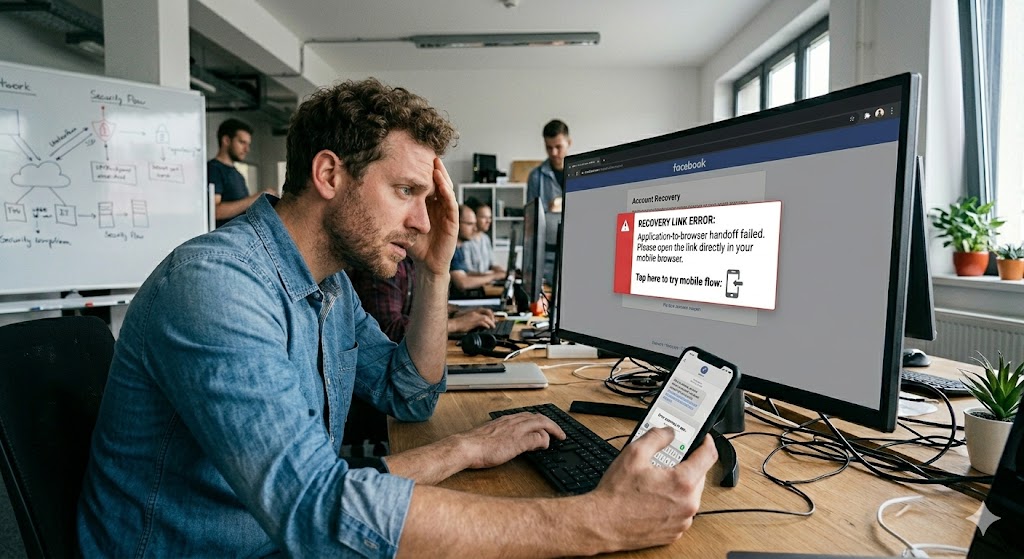
If you tap a Facebook account recovery link and nothing happens, or it opens a blank page, or it opens the wrong Facebook account, or it keeps bouncing back to the app without loading the recovery flow, you are usually dealing with a broken app-to-browser handoff, meaning the recovery URL is supposed to jump from one context to another, such as Facebook app to your default browser, Instagram in-app browser to Safari or Chrome, email app to browser, or Messenger to the Facebook app, and somewhere in that chain the system loses the session, strips required parameters, blocks cookies, or opens the link in a constrained embedded browser that cannot complete the verification step. 😅
This is extremely common after account takeovers or security events because Facebook recovery flows are sensitive to session state and identity context. The recovery link typically expects a clean, persistent session and a predictable browser environment. If the link opens in an in-app browser with strict restrictions or if your phone is configured to open Facebook links inside the app instead of a full browser, the handoff can fail silently, and all you see is “nothing works.”
Definitions 🧠
App-to-browser handoff is the moment when a link that you clicked inside an app transitions to a web browser environment or vice versa. It relies on deep links, redirect rules, and cookies. If any of these fail, the recovery flow cannot load.
In-app browser is the built-in browser inside Facebook or Instagram that opens links without leaving the app. Meta describes the in-app browser feature in business documentation, which matters because it behaves differently from your full browser around cookie persistence and redirects, which are critical for recovery flows. About the in-app browser on Facebook and Instagram ✅
Recovery flow is the step-by-step process Facebook uses to verify identity and restore access, and it is very sensitive to session mismatch. Meta provides an official recovery support hub for account access problems, which is a useful fallback when handoffs keep failing. Meta account recovery support hub 🙂
Why Important? 😩💛
After an account takeover, recovery links are time-sensitive and psychologically intense. When the link does not open, it feels like the platform is refusing to help you even though you have the right link. Operationally, a broken handoff can keep you stuck in a loop where you cannot verify identity, cannot reset password, and cannot finalize checkpoint steps, which means you remain vulnerable to the attacker regaining access.
Here is the metaphor that makes the problem feel obvious: think of the recovery link like a secure package that must be delivered through a chain of couriers 🚚📦. If one courier refuses to carry packages with seals, the package never arrives. Your job is to choose a courier chain that supports sealed packages, meaning a full browser with stable cookies, not an embedded environment that strips or blocks parts of the link.
How to Apply ✅🛠️
Step 1: Avoid in-app browsers and open the link in a real browser 📱➡️🌍
If you clicked the recovery link inside Facebook, Instagram, Messenger, Gmail, or another app that opens an embedded browser, force it into your default browser instead. Look for “Open in browser” or “Open in Safari/Chrome.” If you cannot find it, copy the link address and paste it into Safari or Chrome directly. This bypasses the in-app browser constraints that often break recovery handoffs.
Step 2: Temporarily stop Facebook links from auto-opening inside the Facebook app 🔁
Many devices prefer deep-linking, meaning any facebook.com link automatically opens the Facebook app. That can break recovery because the app might open under a different account context or fail to carry parameters cleanly. The workaround is simple: paste the link into your browser and hold it there, do not allow it to jump back into the app until the recovery page fully loads and you can see the actual verification step.
Step 3: Make sure you are logged out of other Facebook accounts in that browser 👤🚫
Session mismatch is a huge cause of “link opens but wrong page.” If you have multiple Facebook accounts logged in, the link can attach to the wrong identity. The clean approach is to log out completely, then use the recovery link in a clean browser session, ideally in a private window mode on mobile if your browser supports it. If the link loads correctly only when logged out, you have proven the handoff issue was account session confusion.
Step 4: Use a clean network once, mobile data is often the fastest proof 🌍
If the link loads on mobile data but fails on Wi-Fi, then your network is interfering with redirects or scripts. Some corporate Wi-Fi, DNS ad blockers, and content filters break login and verification redirects. Switching to mobile data once is a powerful diagnostic move because it changes the network path without you changing any recovery settings.
Step 5: Disable VPN during recovery 🔐
VPNs can cause the recovery flow to behave unpredictably because your IP and region signals change rapidly, and recovery systems are highly sensitive to risk scoring. Keep VPN off until recovery is completed and your account is stable again.
Step 6: If the link is consistently broken, use the official recovery hub as a new entry point 🛟
If your recovery link fails repeatedly, do not keep hammering the same link forever. Use Meta’s account recovery support hub, which provides official guided pathways into recovery flows and can help you restart the process in a cleaner way. Meta account recovery support hub ✅
Step 7: If the link opens blank, treat it as a script or cookie failure 🧩🍪
Blank pages usually mean the shell loaded but the recovery module did not. In that case, disable content blockers for the browser, allow cookies, and retry once in a private session. If you have an iPhone and “Prevent Cross-Site Tracking” is enabled, keep it on normally, but for this one recovery session you may need to allow the recovery page to set cookies, because recovery flows depend on it.
Step 8: Prevent multi-tab chaos 🧠😅
Do not open the recovery link in multiple tabs. Recovery tokens can be one-time or can expire quickly, and multiple attempts can invalidate each other. Use one tab, complete one step, then move forward.
Table 📊
| What you see | Most likely cause | Fast proof | Best fix |
|---|---|---|---|
| Tap link, nothing opens | Deep link trapped inside app | Copy link into Safari/Chrome works | Paste into full browser and complete flow there |
| Link opens wrong account | Multiple FB sessions or wrong identity | Works when logged out | Use private mode and log out of other accounts |
| Blank page after tap | In-app browser restrictions or blocked scripts | External browser loads properly | Avoid embedded browser, disable blockers temporarily |
| Works on mobile data not Wi-Fi | Network filtering or DNS blocking | Switch networks | Finish recovery on mobile data, fix Wi-Fi later |
| Link fails repeatedly | Recovery token expired or handoff loop | New entry point works | Use recovery hub to restart cleanly |
Diagram 🧩
You tap recovery link in an app
|
v
Link opens in embedded browser or deep-links to Facebook app
|
v
Recovery needs cookies + redirects + stable session
|
+--> If embedded browser blocks cookies or strips params -> flow fails 😵💫
+--> If it opens wrong account session -> wrong page 😵💫
|
v
Fix: open in full browser with clean session, one tab, stable network ✅
Examples 😄
Example 1: Email app opens link in embedded browser
You click recovery link in your email, it opens a mini browser, and the page is blank. You copy the link, paste into Safari, and suddenly the recovery options show. That confirms the embedded browser was the blocker.
Example 2: Facebook app keeps stealing the link
You paste the link into Chrome, but it jumps into the Facebook app and fails. You long-press and choose to open in browser, or you disable the “open supported links” behavior temporarily, and the flow finally stays in the browser long enough to complete verification.
Example 3: Works on mobile data only
Your home Wi-Fi blocks or rewrites certain redirects. The flow fails there but works on mobile data. You complete recovery on mobile data and then later troubleshoot the network policy.
Anecdote ☕😂
I have seen someone swear their recovery link was “dead” because every time they tapped it, the Facebook app opened and showed a blank screen, and they kept requesting new links, which didn’t help, because the handoff was the problem, not the link. The moment they copied the link into a full browser in private mode on mobile data, the recovery flow loaded instantly, and the relief was huge because it proved the account wasn’t lost, the courier chain was just broken 😅💛.
Personal Experience 🙂
When recovery links fail, I treat it like a context problem first: I force the flow into a full browser, I run it in private mode, I ensure I am logged out of other Facebook sessions, and I keep VPN off. This sequence solves most handoff loops without needing new links. If it still fails, I move to the official recovery hub rather than wasting time repeatedly clicking the same link in the same broken environment.
Emotional Connection 💛
When you are in recovery mode, you are already stressed, and a non-opening link feels like the platform abandoning you. The comforting truth is that the link often still works, it is the handoff environment that is broken. Once you get the flow into a stable browser with a clean session, the recovery steps usually appear, and that moment of progress is genuinely calming because it restores your sense of control again 😌✅.
10 Niche FAQs 🤓✅
1) Why does the link open a blank page inside the app?
Because embedded browsers can block cookies or scripts required for recovery modules.
2) Can I complete recovery only inside the Facebook app?
Sometimes yes, but if the app is the one breaking the flow, a full browser is often more reliable.
3) Why does it open the wrong Facebook account?
Because multiple sessions exist and the browser attaches the link to the currently logged-in identity.
4) Does private browsing help?
Yes, it gives a clean cookie state and avoids many blockers, which helps recovery flows.
5) Should I request a new recovery link every time it fails?
No, fix the handoff environment first, otherwise new links can fail the same way.
6) Can VPN cause recovery loops?
Yes, risk systems are sensitive to IP changes, so keep VPN off during recovery.
7) Why does Wi-Fi break it but mobile data works?
Because network filters or DNS blocks can interfere with redirects and scripts required for verification.
8) What if the link keeps redirecting back to the app?
Force it to stay in the browser by using an external browser option or adjusting supported link behavior temporarily.
9) What is the safest first step?
Copy the link and paste into Safari or Chrome in private mode, with other accounts logged out.
10) What is the official fallback if I cannot open any recovery links?
Use Meta’s account recovery support hub. Meta recovery hub
People Also Asked 🔎🙂
1) Is my recovery link expired?
It can be, but if it fails instantly in embedded browsers, environment is often the root cause before expiry.
2) Why does the link open but never progresses?
Because cookies or scripts needed for the next step cannot load or persist.
3) Can I use a computer instead?
Yes, using a desktop browser with a clean session can be more stable than mobile app handoffs.
4) What if I keep getting redirected to the login page?
That often indicates session mismatch, so log out of other accounts and use private browsing.
5) What is the fastest proof it is an app-to-browser handoff issue?
If the link fails inside the app but works when pasted into a full browser, the handoff is the culprit.

