


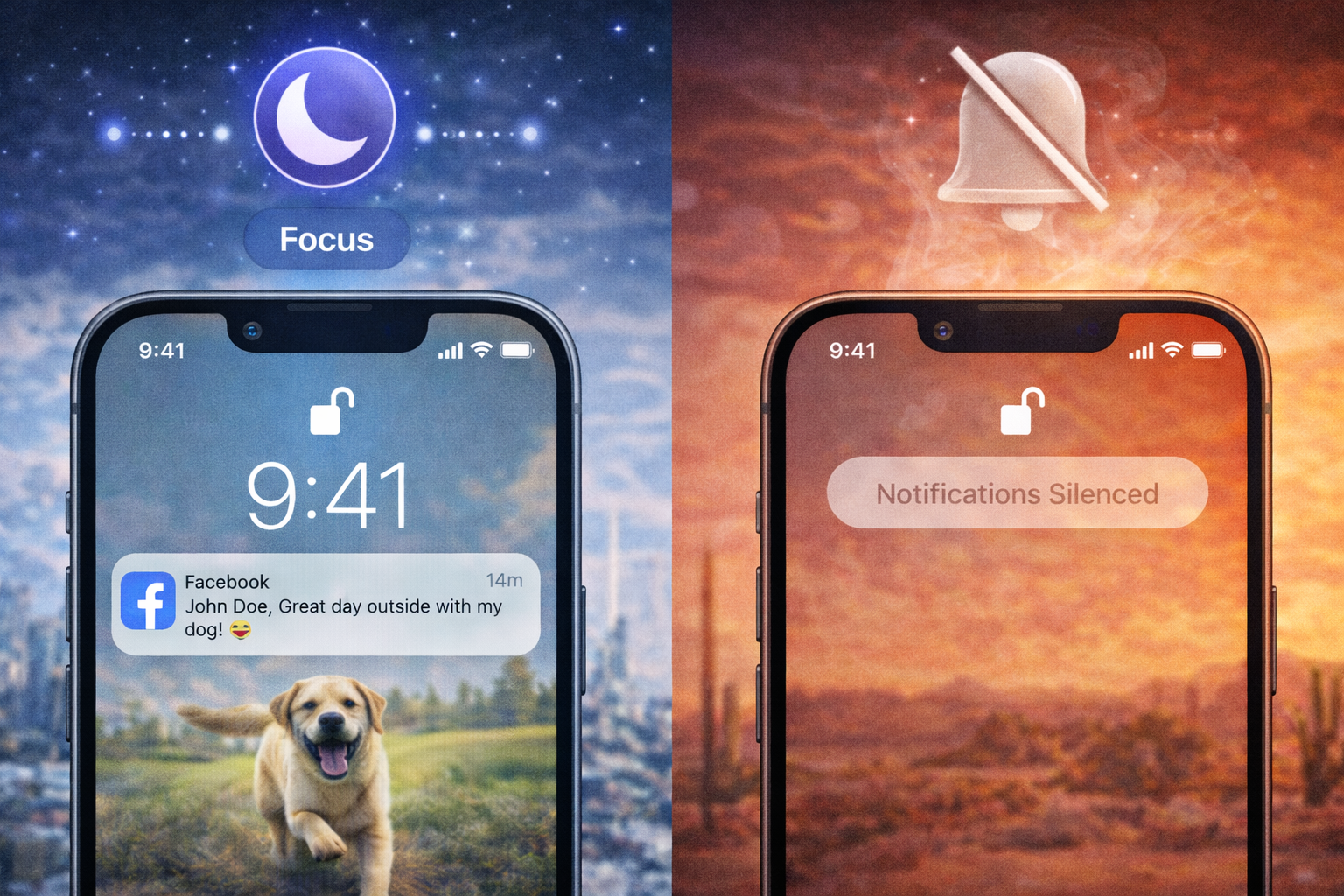
You check your phone, unlock it, open Facebook, and suddenly realize something unsettling: there were comments, reactions, messages, and activity waiting for you… but no notifications ever arrived 😐. No banners, no lock screen alerts, no sounds, no vibrations. Everything happened quietly, like a party you weren’t invited to because the doorbell was muted. If this sounds familiar, you’re not imagining things, and you’re definitely not alone.
In a large number of real-world cases, this exact pattern is caused by a conflict between iOS Focus Mode and Facebook’s silent notification delivery logic. The notifications are technically sent, the app is technically allowed, but the system decides to suppress or downgrade them so effectively that they feel nonexistent. Let’s walk through what’s actually happening, why it matters, how to fix it without guesswork, and how to stop it from coming back 🙌.
Throughout this guide, I’ll reference Facebook where relevant, but the underlying mechanics apply to many modern apps on iOS.
Definition: What This Conflict Really Is 🧩
Focus Mode on iOS is not just a “Do Not Disturb with a new name.” It’s a context-aware notification filtering system that decides which notifications are allowed, how they appear, and whether they are allowed to interrupt you at all. It can filter notifications by app, contact, time, location, activity, and even by notification type.
On the other side, Facebook sends different kinds of notifications: high-priority alerts, standard alerts, and silent notifications. Silent notifications are often used to update badges, refresh content, or prepare the app state in the background without showing anything to the user. Apple documents this behavior under background notifications and notification interruption levels in its iOS notification system, and you can get a clear overview from Apple’s own explanation of Focus modes and notifications.
The conflict happens when Focus Mode suppresses visible alerts, while Facebook continues to send silent or low-interruption notifications that never escalate into banners or sounds. The result is deceptively simple from the user’s perspective: no notifications at all, even though activity is happening constantly 😵💫.
Think of it like this: Facebook is knocking softly on the door 🚪, and iOS Focus Mode has noise-canceling headphones on 🎧. The knock technically happens, but no one hears it.
Why This Matters: Missed Notifications Aren’t Neutral 📉💔
Notifications are not just pings. They are social timing mechanisms. They tell you when to show up, when to respond, when a conversation is alive. When notifications disappear, users don’t just miss alerts, they miss moments. Replies come late, conversations feel colder, engagement drops, and people start assuming others are ignoring them.
From a professional or community-management angle, missing notifications can quietly break trust. You might look disengaged when you’re not. You might miss moderation events. You might lose the rhythm of a group or page. And because everything else works normally when you open the app, this issue often goes unnoticed for days or weeks 😬.
Here’s a metaphor that fits uncomfortably well: notifications are the heartbeat of a social app ❤️. Focus Mode doesn’t stop the heart, but it can muffle the sound so much that you think it’s gone.
How It Happens: Focus Mode Meets Silent Delivery 🔕⚠️
Let’s break down the most common mechanics behind this conflict in plain language.
Focus Mode app filtering
If Facebook is not explicitly allowed in the active Focus Mode, iOS may suppress all visible alerts from it. That includes banners, lock screen notifications, and sounds. The notifications can still be delivered silently, which means the app updates in the background, but you never see or hear anything.
Interruption level mismatch
iOS assigns an “interruption level” to notifications, such as passive, active, time-sensitive, or critical. Facebook often sends notifications at passive or active levels, not time-sensitive. Focus Mode may allow only time-sensitive or allowed-app notifications through, causing Facebook alerts to vanish quietly.
Scheduled or context-based Focus activation
Focus Mode can turn on automatically based on time, location, or activity. Many users don’t realize Focus is active because there’s no obvious warning unless you look for it. You just experience silence.
Summary and delayed delivery effects
Even when notifications aren’t fully blocked, Focus Mode can delay them into a scheduled summary. By the time you see them, the moment has passed, and it feels like you never received anything.
Badge-only updates
Silent notifications may update the badge count without triggering any alert. If badges are disabled or ignored, you get no visible signal at all.
Quick Diagnostic Table 🧪📋
| What you notice | What it suggests | What to check |
|---|---|---|
| No alerts, but activity appears when app opens | Silent notifications suppressed | Check active Focus Mode |
| Notifications arrive late in batches | Notification Summary delay | Review notification summary settings |
| Badges update but no sounds or banners | Passive notification delivery | Check notification style for Facebook |
| Works sometimes, not others | Auto Focus activation | Check Focus schedules and triggers |
| Works on another device | Device-specific Focus config | Compare Focus settings across devices |
How to Fix It: Step-by-Step, No Guessing 🛠️✨
Start by checking which Focus Mode is active. Swipe down to open Control Center and look for the Focus indicator. If any Focus Mode is on, tap it and see whether Facebook is allowed.
Next, explicitly allow Facebook in that Focus Mode. Don’t rely on “allowed contacts only” or generic settings. Add the app itself to the allowed list so iOS knows it can interrupt you.
Then, check Facebook’s notification settings inside iOS. Go to Settings → Notifications → Facebook and make sure alerts are enabled, banners are allowed, and sounds are turned on. Passive-only delivery is a common reason notifications feel invisible.
After that, review Notification Summary settings. If summaries are enabled, Facebook notifications may be delayed. Decide whether you want them immediate or summarized, but be intentional.
If the issue persists, restart the phone. This forces Focus state and notification channels to reinitialize, which often resolves stuck or desynchronized states.
Finally, open Facebook and check in-app notification preferences. If in-app alerts are disabled or overly filtered, iOS may receive only silent updates.
A Simple Diagram: Where Notifications Get Lost 🧠📡
Facebook sends notification
        |
        v
iOS receives notification
        |
        v
Focus Mode filter applied
        |
        +-- App not allowed --> Silent delivery 🔕
        |
        +-- Interruption too low --> Suppressed 🔇
        |
        v
User sees nothing ❌
When all layers align correctly, the flow ends with a banner, sound, or lock screen alert instead of silence.
Real-World Examples 🌍
Example 1: A user enables Work Focus and allows only messaging apps. Facebook notifications are technically delivered, but silently. Days later, the user notices dozens of missed interactions.
Example 2: A user enables Sleep Focus with notification summary. Facebook notifications arrive hours later in a batch, long after conversations moved on.
Example 3: A user migrates to a new iPhone. Focus Modes sync via iCloud, but app allowlists don’t fully align yet. Facebook notifications vanish until manually reconfigured.
A Short Anecdote 📖🙂
I once helped someone who was convinced Facebook had “stopped notifying them on purpose.” Messages, comments, tags, all invisible. The app itself was fine. The network was fine. The account was fine. The culprit was a Focus Mode that had quietly learned their schedule and decided Facebook was “non-essential.” The moment Facebook was added to the allowed apps list, notifications returned instantly. The relief was real, not because of the alerts themselves, but because the social world felt reachable again 🫶.
Frequently Asked Questions (10 Niche FAQs) ❓🧠
1) Can Focus Mode block notifications without showing any warning?
Yes. Focus Mode prioritizes silence over visibility.
2) Why do I still get notifications when I open the app?
Because silent notifications updated content in the background.
3) Why does this happen only at certain times of day?
Because Focus Mode may activate automatically on a schedule.
4) Does allowing contacts help Facebook notifications?
No. Facebook is an app, not a contact. You must allow the app itself.
5) Why do badges update but nothing else happens?
Badge updates often come from silent notifications.
6) Can Notification Summary hide alerts completely?
It can delay them enough that they feel missing.
7) Is this a Facebook bug?
Usually no. It’s an interaction between app delivery and iOS filtering.
8) Do time-sensitive notifications fix this?
Only if the app sends them at that level, which Facebook usually doesn’t.
9) Will reinstalling Facebook fix it?
Rarely. Focus Mode settings live at the OS level.
10) How can I make sure I never miss Facebook notifications again?
Explicitly allow Facebook in all Focus Modes you use.
People Also Ask 🧠💡
Why do notifications stop when Focus Mode is on?
Because Focus Mode is designed to suppress interruptions by default.
Does iOS treat silent notifications differently?
Yes. Silent notifications can update apps without alerting users.
Can Focus Mode override app notification settings?
Yes. Focus Mode sits above app-level preferences.
Why do notifications work on iPad but not iPhone?
Focus Modes can differ per device.
Conclusion: Silence Isn’t Always a Bug 🔕✅
When Facebook notifications stop arriving on iOS, the problem is often not broken delivery but over-successful silence. Focus Mode and silent notification logic are both doing their jobs, just not in harmony with your expectations. Once you align allowed apps, interruption levels, and notification styles, the noise comes back in a healthy, controlled way.
Notifications aren’t distractions by default. They’re invitations. And when they disappear, it’s worth making sure the door isn’t just quietly closed 🚪🙂.
You should also read these…
- spyfrogs.com – video not saved after shooting on tiktok
- huesly.com – how cross linked polyethylene foam from durfoam im
- surgeblog.com – cant create a tiktok child account
- soturk.com – tiktok session keeps logging out solutions
- godwig.com – oem ready ptos with rapid rd driven development
- noepic.com – fun spin the wheel ideas to spice up coffee breaks
- beofme.com – healthy snack ideas to balance blood sugar levels
- surgeblog.com – 7 ideas to make your life easier with polyethylene
- sixrep.com – tiktok action could not be completed warning
- huesly.com – how to add a new location to instagram step by ste

